Time tracking
Start and stop a timer from the header of any page, and see where the hours went in Time Management.
Projects and scheduling
When a client signs, the work begins. Flow turns agreed proposals into projects, books surveys and installs into the calendar and tracks time against the job, without retyping anything.
Projects
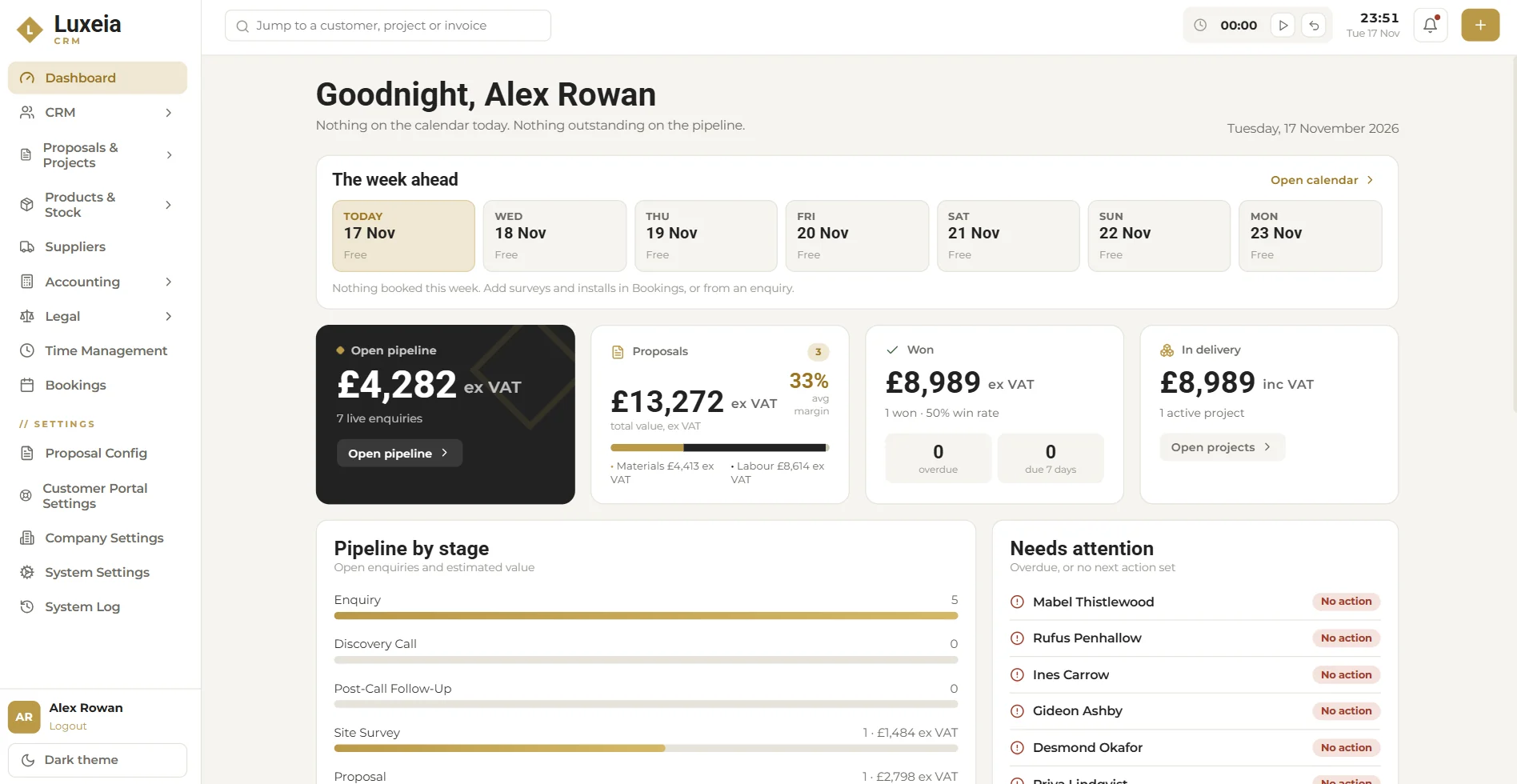
Agreed work moves into delivery with its scope, hardware and payment schedule attached. The dashboard shows what's in delivery and its value, so you can see your workload at a glance.

Bookings
Add surveys and installs in Bookings, or straight from an enquiry. The week ahead appears on everyone's dashboard, so the team knows where they need to be.

Time and tasks
Start and stop a timer from the header of any page, and see where the hours went in Time Management.
Assign follow-ups and tasks so they have an owner and a date.
Today and the next six days at a glance, on the dashboard.
FAQ
Yes. Bookings covers scheduling surveys and installs, and the week ahead shows on the dashboard.
Yes. A timer sits in the header of every page, and Time Management shows where the hours went.
Yes. Projects come from agreed proposals, and stage invoices pull from the proposal's payment schedule.
Start a 30-day free trial. No card needed. Or book a demo and we will walk you through it.